Customer groups
Customer groups shows how your customers split into segments and where your revenue really comes from. Use it to spot big spenders going quiet and win them back before you lose them.
Where to find it: open Customers → Customer groups, or go to
/customers/groups.
Plan
This is a paid feature. Check that your current plan includes it before you rely on it. Open Plans and subscription to compare plans and upgrade.
Before you start
- This screen is built from your order history, so it fills out as customers buy from you. A new store has little to show here yet.
- Nothing to set up. Open the page and the report loads on its own.
Read the screen
- Open Customers → Customer groups. The report loads.
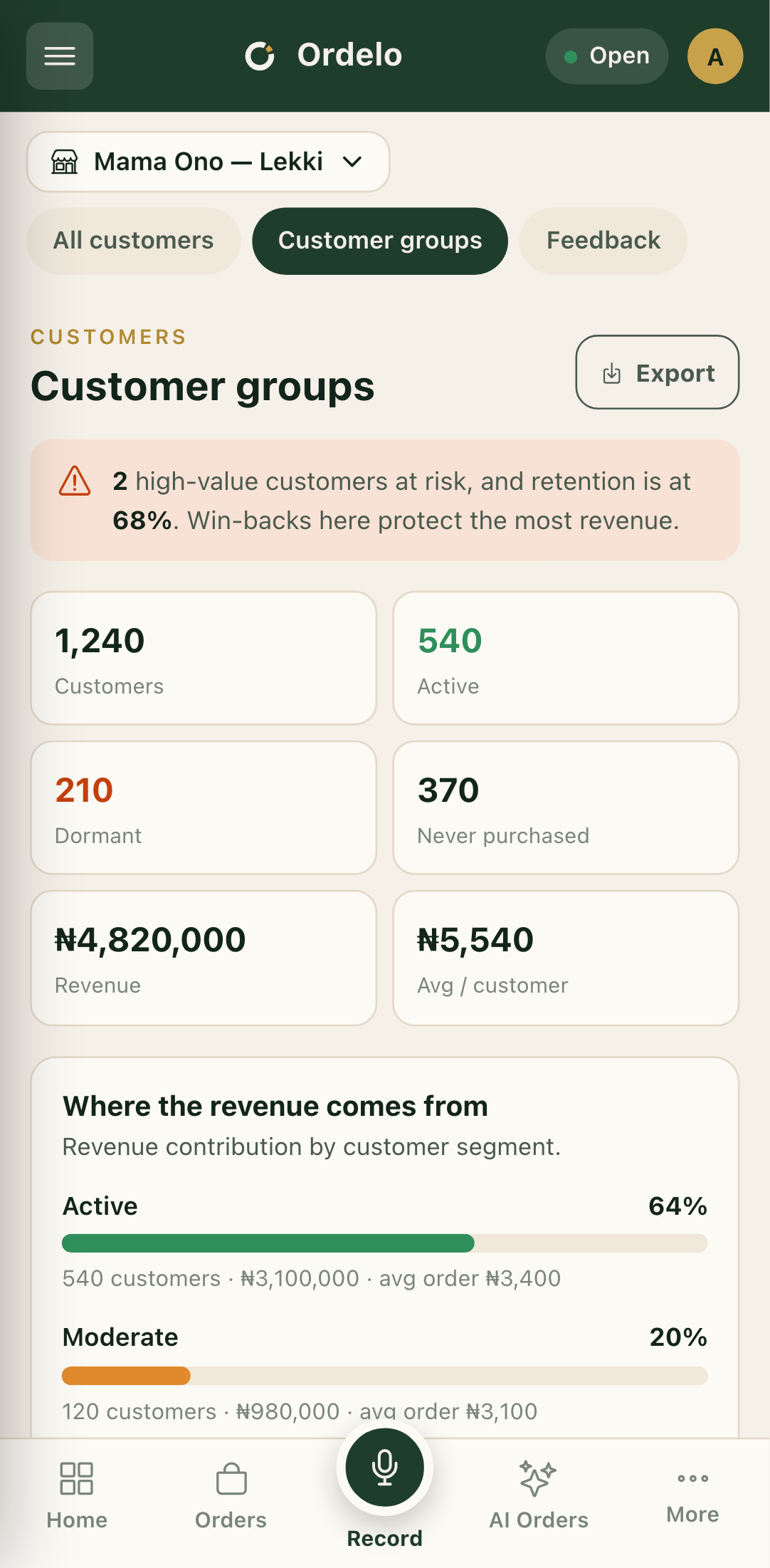
- Read the alert at the top first. It calls out how many high-value customers at risk you have and your current retention rate. This is where a win-back protects the most revenue.
- Scan the numbers below: total Customers, Active, Dormant, Never purchased, total Revenue, and Avg / customer.
 Customer groups
- Under Where the revenue comes from, each segment shows its share of total revenue as a bar, plus customer count, revenue, and average order value.
- Retention rate shows, month by month, the share of active customers who came back to order again. Higher is better. A drop means you're losing repeat customers.
- New customers shows first-time customers won each month and the revenue they brought in.
- High-value, at risk lists big spenders who've gone quiet, with how long since their last order and a risk level. Best customers lists your top spenders by total spend.
Export the report
- Tap Export at the top right.
- Choose a format when asked: CSV, Excel, or PDF.
- The file downloads as
customer-report.
Tips
- Start with the at-risk list. These customers already spent well and have stopped. A message or offer here is the cheapest revenue to win back.
- Retention usually beats acquisition. A rising retention bar tends to do more for revenue than chasing new customers.
- An empty at-risk list is good news. If it reads "No at-risk customers", none of your big spenders have gone quiet.
- This is a read-only report. You review and export here. To edit a customer record, use the Customer directory.