Customer feedback
Feedback pulls together what customers say about your store and your menu. See your overall rating, read what reviewers wrote, and spot the dishes that are letting you down.
Where to find it: open Customers → Feedback, or go to
/customers/feedback.
Plan
This is a paid feature. Check that your current plan includes it before you rely on it. Open Plans and subscription to compare plans and upgrade.
Before you start
- Feedback appears here once customers leave reviews on their orders. A quiet store will show "No reviews yet."
- Nothing to set up. The page opens on Store reviews.
Steps
- Open Customers → Feedback. It opens on the Store reviews tab.
- Read the headline card: your average star rating, the total number of reviews, how many Reviewers you have, and how many Orders reviewed.
- Scroll the Reviewers list. Each row shows the customer's name, their review count, when they last reviewed, their average rating, and their most recent comment.
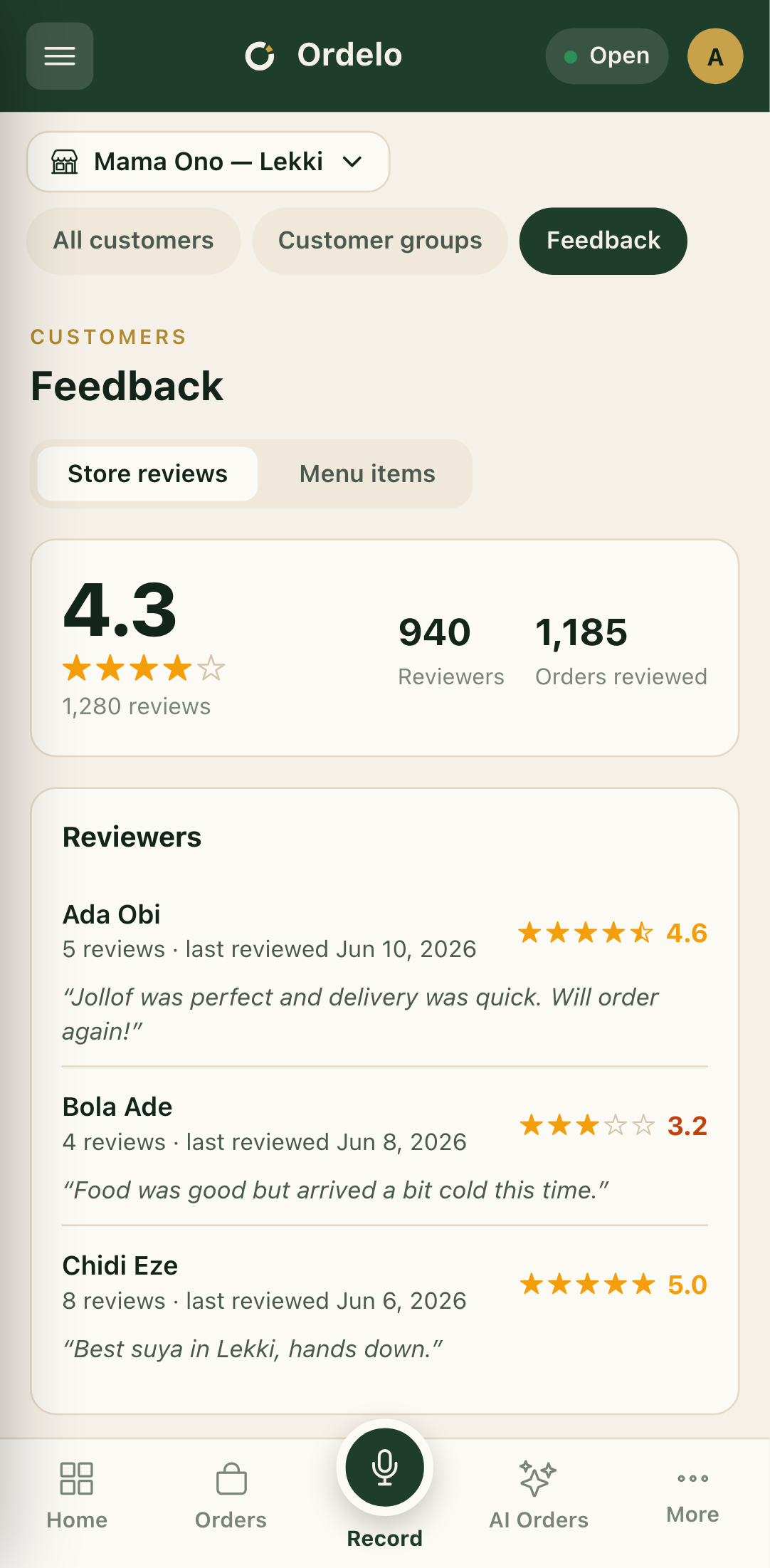 Feedback
- Switch to the Menu items tab to see feedback per dish.
- Read the top figures: Menu avg, total Reviews, and Items reviewed.
- Each item card shows its rating, a good-versus-bad split bar, and the top complaints and praise as tags with counts. An item with a lot of bad reviews is flagged Needs attention.
- Tap an item card to open its reviewers, so you can read exactly who said what about that dish.
Tips
- Chase the "Needs attention" items first. When bad reviews pile up on a dish, that flag appears. Fixing that one item lifts your whole menu average.
- Read the tags for the "why". Top complaints and praise summarise the pattern fast, so you don't have to read every comment to see what's wrong.
- Low ratings stand out. A reviewer or item scoring below 3.5 stars is highlighted, so weak spots are easy to catch.
- A low menu average is usually one or two dishes. Open the worst items rather than assuming the whole menu is the problem.