Payment settings
This is where you choose which ways customers can pay at your store. It's separate from where your money lands, which is set on the Account tab.
Where to find it: open Store, then the Payments tab (or go to
/store).
Before you start
- Decide which payment methods you actually accept.
- If you also need to set the bank account your payouts go to, that's the Account tab, not this one. See Payouts and settlements.
Steps
- Open the Payments tab. You'll see the Payment options card with a list of methods.
- Tick every method you want to accept.
- Untick any you don't offer.
- Tap Save payment options.
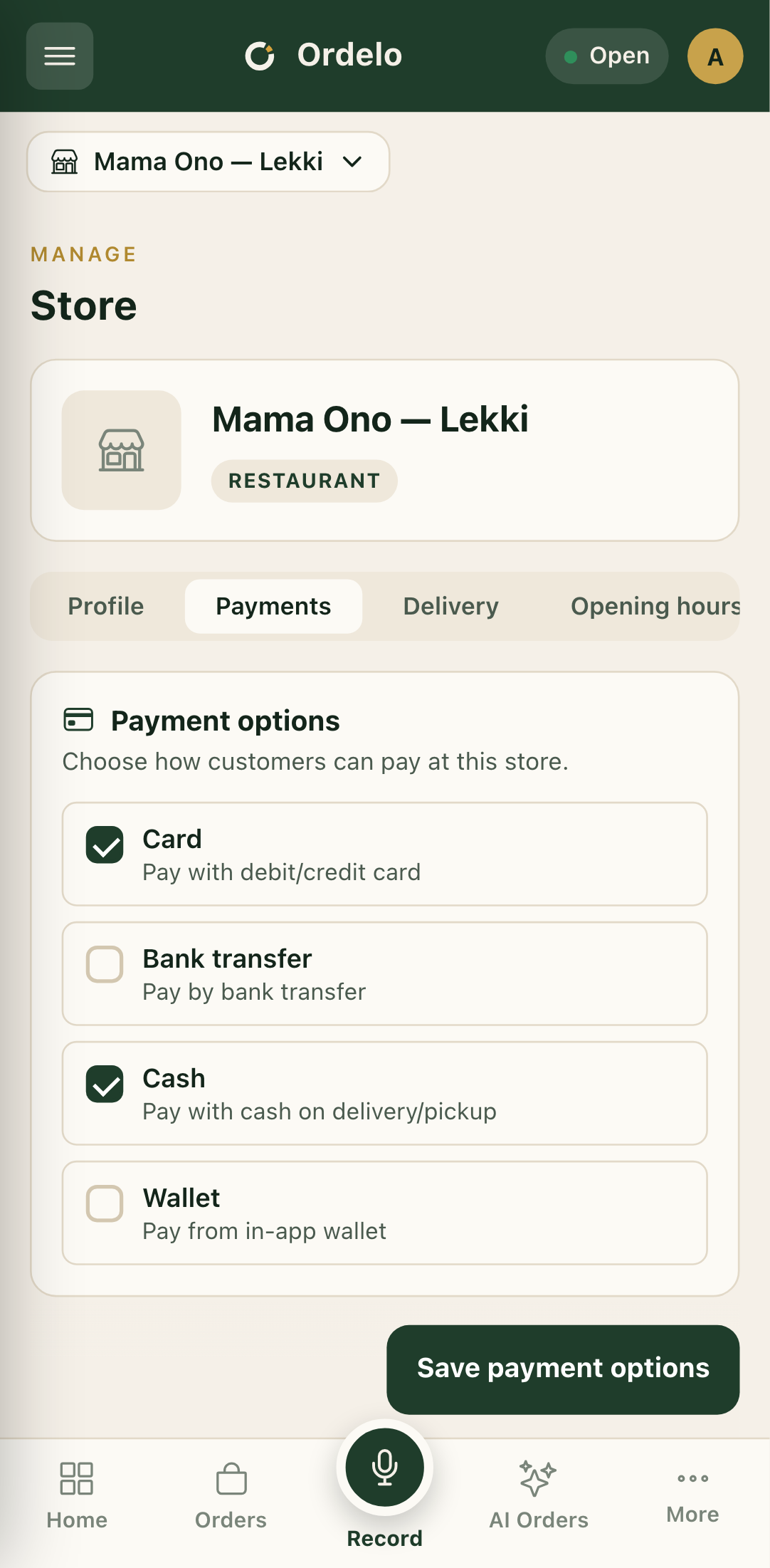 The Payments tab
Tips
- Payments and payouts are different things. This tab decides how customers pay you. The Account tab decides which bank account receives your settlements.
- Only tick what you can honour. If a customer picks a method you can't actually take, you'll have to sort it out at the counter.