Delivery settings
Choose how customers receive their orders: pickup, delivery, or both. If you deliver yourself, you can also set the areas you cover and the fee for each.
Where to find it: open Store, then the Delivery tab (or go to
/store).
Steps
- Open the Delivery tab. You'll see the Delivery options card with a switch for each option.
- Turn on the options you offer, such as pickup or delivery.
- When you turn one on, a Custom label (optional) box appears. Use it if you want to rename the option for customers.
- If you turn on Delivery, tick Handle our own deliveries if your own staff deliver the orders.
- If you handle your own deliveries, a Delivery locations & fees card appears. Tick each area you deliver to, and set a Fee for it.
- Tap Save delivery settings.
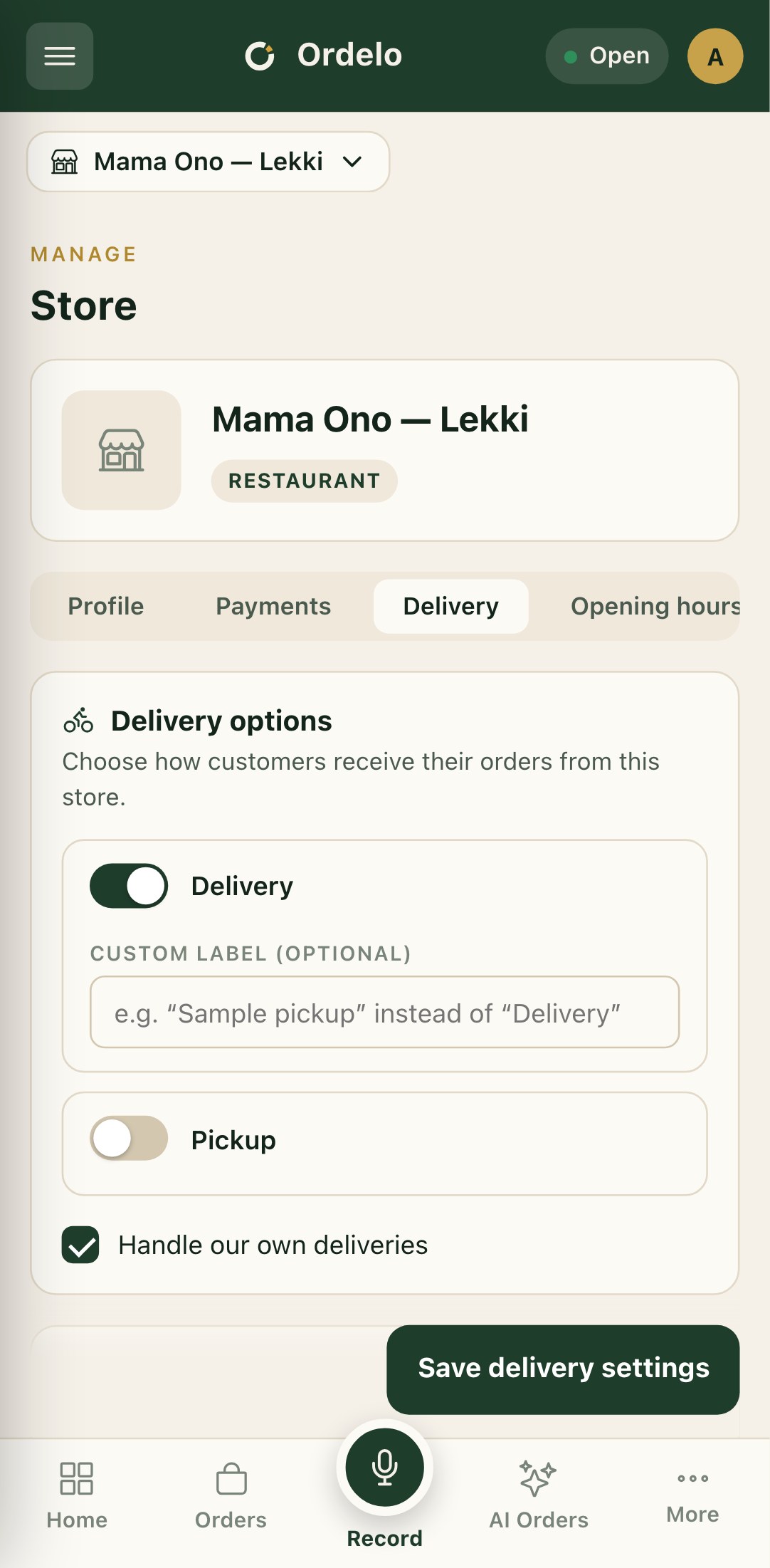 The Delivery tab
Tips
- Set a fee for every area you tick. A delivery area with no fee can cost you money on each order.
- Leave "Handle our own deliveries" off if a delivery service moves your orders for you. The extra fee settings only apply when your own team delivers.