Order history
History is your record of finished orders. Use it to look up a past order, reprint a receipt, check a review, or start a refund.
Where to find it: open Orders → History, or go to
/orders/history.
Plan
This is a paid feature. Check that your current plan includes it before you rely on it. Open Plans and subscription to compare plans and upgrade.
Before you start
- History shows the store you're currently in. Switch stores from the store name at the top of the app if you run more than one.
- It only lists closed orders. Anything still in progress lives on The orders board.
Steps
- Open Orders → History. It opens on Today by default.
- Change the range with the quick buttons: Today, Last 7 days, or Last 30 days.
- For a specific window, set the From and To dates instead.
- Tap an order to open its full detail. See Order details and actions.
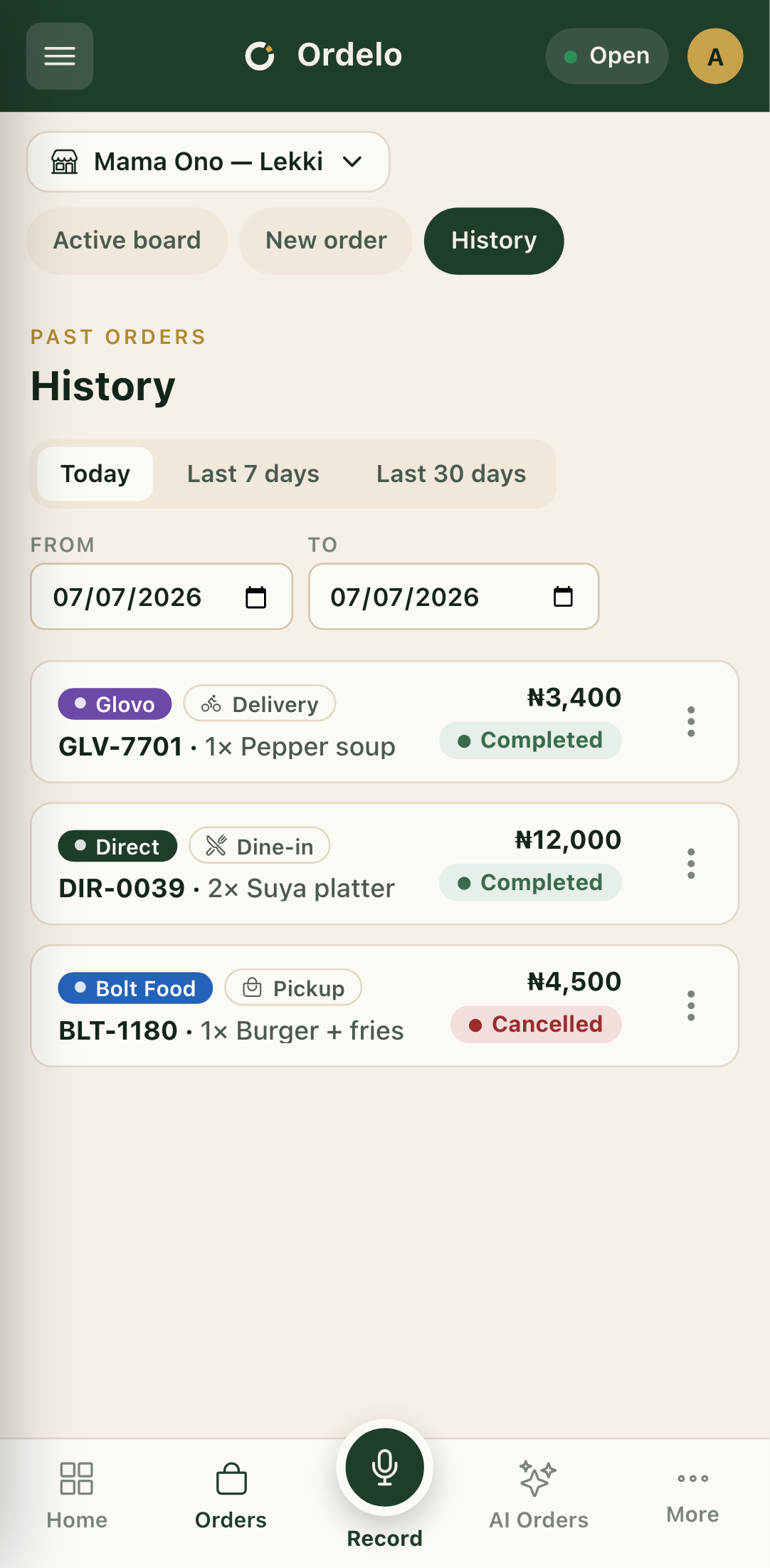 Order history
Quick actions on an order
Each row has a menu (the three-dot button) with these actions:
- View items — see the full item list and total without leaving the page.
- View review — read the customer's rating and comment, when a completed order has one.
- Print receipt — reprint the receipt for that order.
- Refund — start a refund for that order.
Tips
- Empty list? History reads "No past orders for this store yet" when there's nothing in the range. Widen the dates or check you're in the right store.
- Custom range beats the presets. Picking a From or To date switches you off the quick buttons and uses your exact window.
- Refund isn't always there. The Refund action only shows on orders that can still be refunded.