Roles and permissions
A role is a named set of permissions, like "Manager" or "Cashier". You build the roles here, then assign them to people on the Team page. It's for business owners and admins.
Where to find it: open Nav → Team, then tap Roles in the top right, or go to
/team/roles. Only admins can see it.
Before you start
- You need to be an admin. If you can't reach the Team page, you won't have this either.
- This page is where you create and edit roles. To give a role to a person, go back to the Team page. See Invite your team.
- The permissions you can choose are the ones for your current service. If none show, there are none set up for it yet.
Read the screen
Each role is a card showing its name, how many permissions it has, and a short summary of the areas it covers. Every card has a pencil to edit and a trash icon to delete. If you have no roles yet, you'll see "No roles yet. Create one to start assigning permissions."
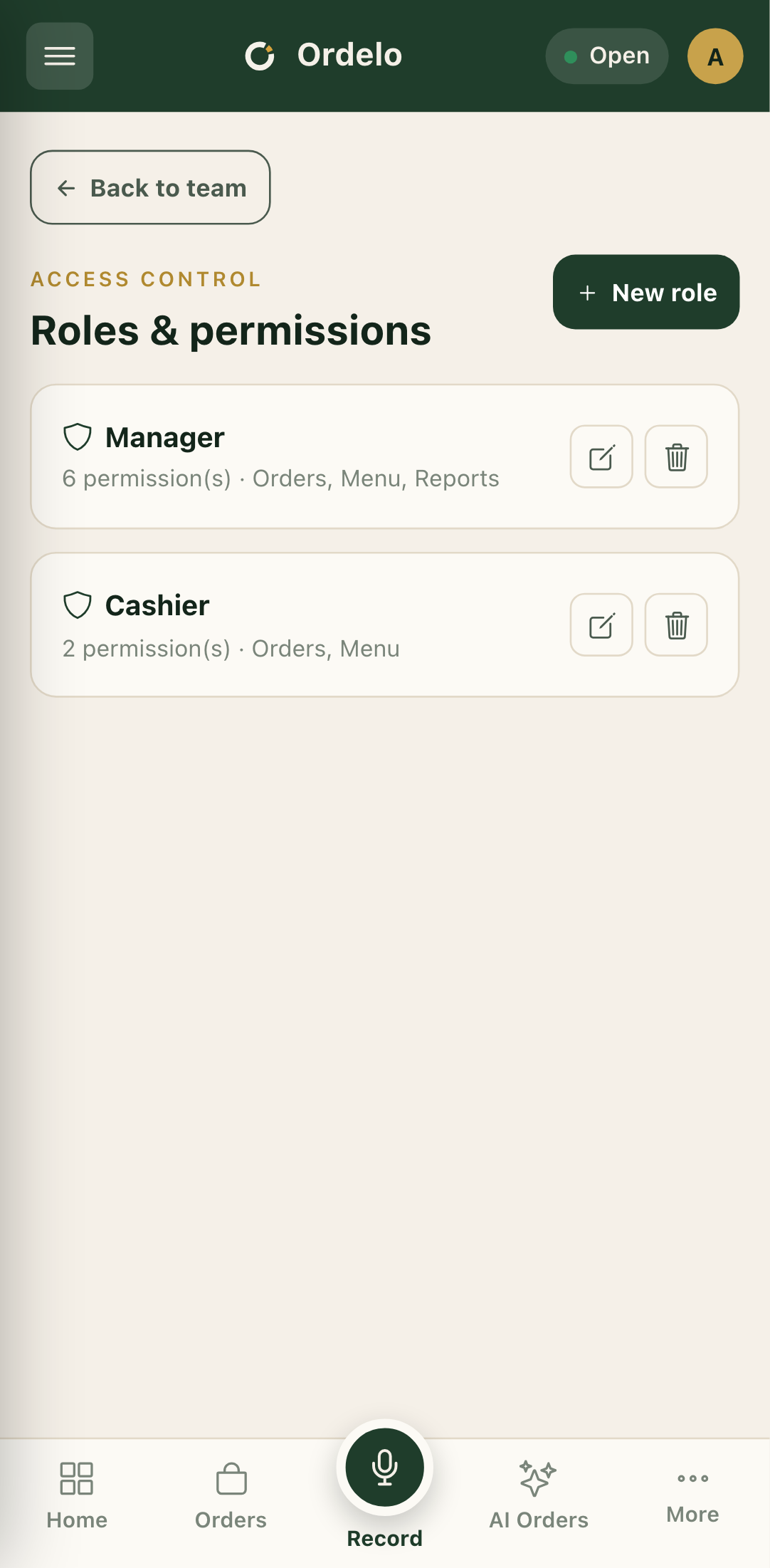 Roles
Roles
Create a role
- Tap New role in the top right. The New role panel opens.
- Type a Role name, for example "Manager".
- Under Permissions, tap a category to expand it. The count next to each category shows how many of its permissions you've picked.
- Tick the permissions you want to grant. Each one shows its name and, where there is one, a short description.
- Tap Create role. The role appears in your list.
Edit a role
- Tap the pencil on the role's card. The panel opens with its current permissions ticked.
- Expand the categories and tick or untick permissions.
- Tap Save permissions. (When editing, you change permissions only, not the role's name.)
Delete a role
- Tap the trash icon on the role's card.
- Confirm on the prompt. It warns that anyone assigned to the role loses its permissions.
- Tap Delete.
Tips
- Building a role and giving it to someone are two steps. This page only defines roles. To put a person on a role, go to the Team page and use Manage roles or the invite form.
- You can't rename a role after creating it. The name field only shows when you create a new one. Editing changes the permissions, not the name.
- Deleting a role affects people already on it. They lose whatever that role granted, so check who's assigned before you remove one.
- Empty permissions list? If a category shows no options, or the page says none are available, there are no permissions set up for your current service yet.